
IIVO ventilation analysis
Ask Growi about your ventilation settings and you get a card with up to three sections: Humidity, Temperature and Vent position. Growi compares how the greenhouse behaved over the last 48 hours with the ventilation setpoints your crop publishes to LetsGrow and judges from that whether the settings fit. It cannot see or change the slider values. The setpoints can come from IIVO Intelligent Ventilation or from any other climate computer.
Prerequisites
Section titled “Prerequisites”- A crop that publishes at least one of the ventilation setpoints: the calculated RH bounds, the temperature bounds or the vent position bounds.
- For step 5: access to that IIVO system in your browser.
-
Select the crop. See Choosing a crop.
-
Ask about your ventilation settings, RH or temperature bounds, or vent positions, for example “Do I need to change my IA settings?”. You can name another period, from 1 hour to 14 days.
-
Read Growi’s text. It names the number of critical and warning findings and the most urgent section, or says that no issues were found. When the crop publishes no setpoints for a section, Growi says that section is left out.
-
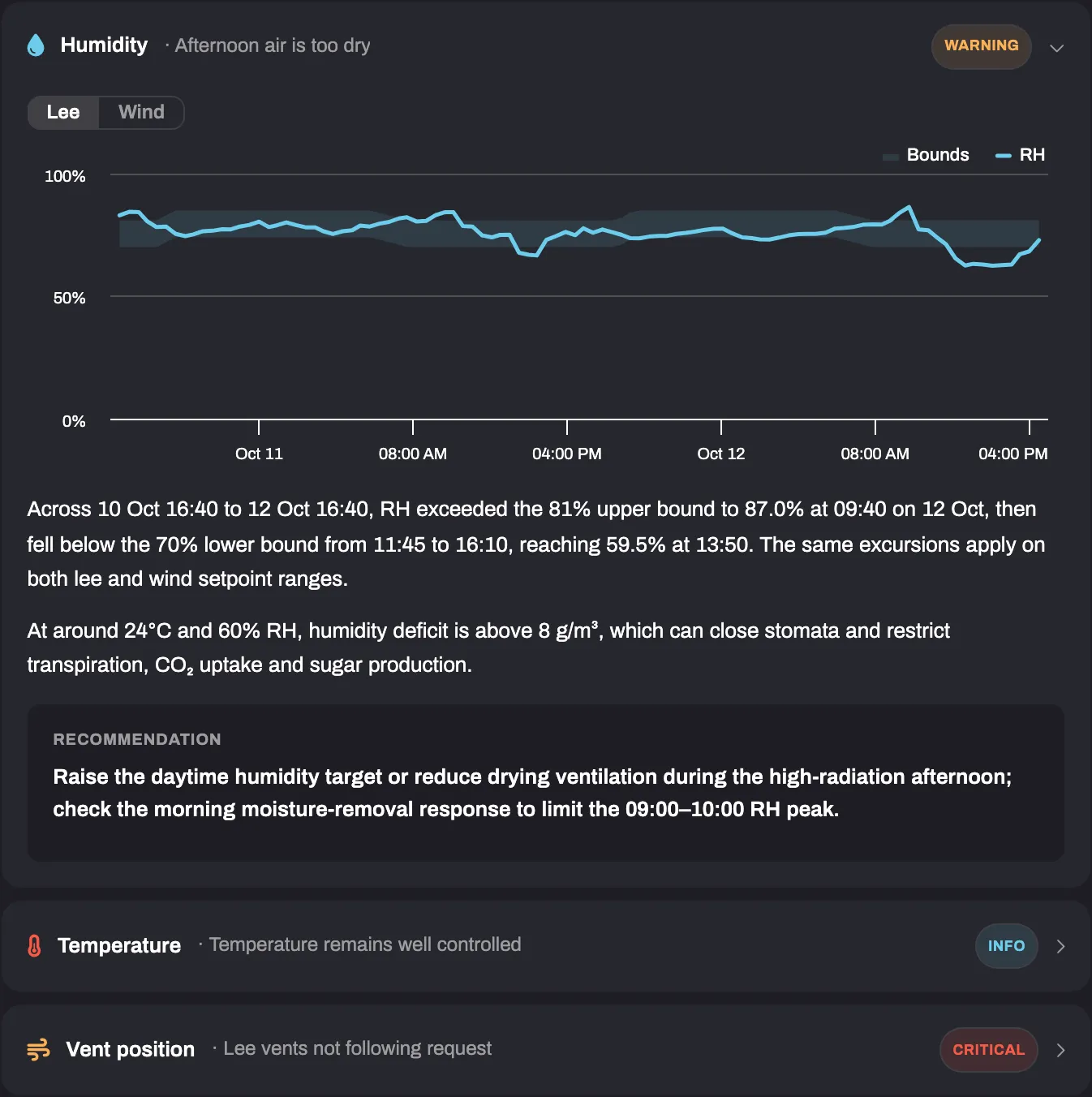
Click a section header to open or close the section. Humidity is open when the card appears. Each header shows a short title and a badge: Critical, Warning, Info or OK.
Section What the chart compares Humidity Greenhouse RH with the calculated minimum and maximum RH Temperature Greenhouse temperature with the maximum temperature and the heating setpoint, with outside temperature for reference Vent position The actual vent position with the calculated minimum and maximum Humidity and Vent position have two buttons above the chart, Lee and Wind. Lee is selected first. Under the chart you read what the data shows, why it matters, and a block Recommendation with what to adjust.
-
Click Open in IIVO in the Recommendation block. IIVO opens in a new tab. The line above the link names where to adjust: Humidity sliders, Temperature sliders or Advanced settings → Tuning factors.
Growi only calls the analysis an IIVO analysis, and only says your crop runs IIVO, when the crop has an IIVO Intelligent Ventilation module among its linked modules. Otherwise it calls it a ventilation analysis, and asked whether you have IIVO, it says your data does not show it.
Troubleshooting
Section titled “Troubleshooting”- Growi says it found no ventilation setpoint data for this crop. The crop publishes none of the setpoints, or has no values for them in the period. No card is shown.
- A section is missing. The crop publishes no setpoints for it. Growi’s text says which section is left out.
- There is no Open in IIVO link. LetsGrow has no web address for an IIVO system of this crop or account, or the crop is shared with you through a crop group.
- You have several IIVO systems. The link goes to the one that feeds the IIVO module of the selected crop.
- The card shows only charts, and every badge reads Info. The written analysis failed. The card then has no text and no link.
- Several crops are selected. The analysis runs for the crop you name, otherwise for the first one. The comparison then ends.